The Agency Advantage has a feature that allows you to assign
commissions to a CSR and a Producer (split commissions). There are a few places you'll see
this Producer Code. The first one we'll take a look at is within a
policy.
The Producer is located beneath the CSR in the policy header section. However, in order
to change the Producer you must enter or edit a Policy Activity.
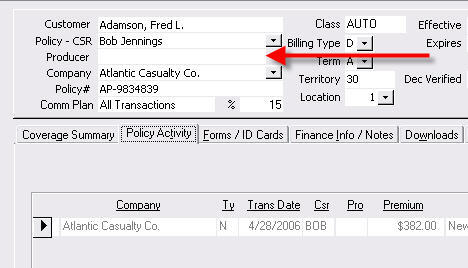
You can assign commissions to CSRs and Producers. This works by using the Policy
Activity the same way you are accustomed, but now there are fields for
Producer codes that can be calculated as well.
The commission percentages are assigned to the CSR or Producer in
User Setup (Main Menu - System Setup - User Setup). These are the
default percentages and, with appropriate permissions, can be changed when entering a policy activity.
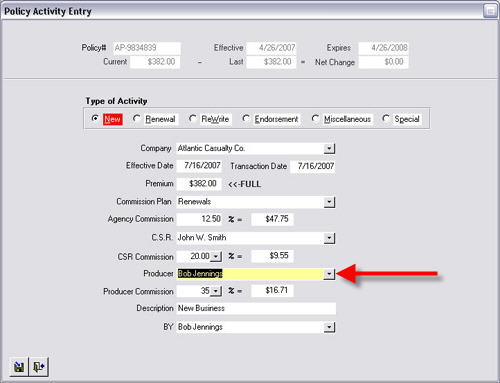
You will also see the Producer Code on the Renew Policy
screen.
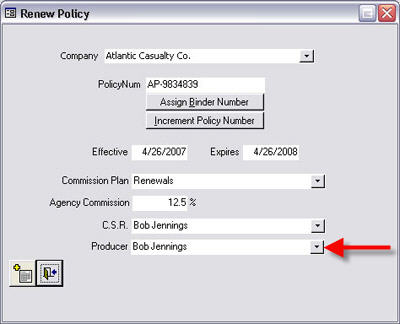
The Production Reports have been updated to reflect this new information. You should now see commissions for
Producers as well as CSRs.
Important Note: You should not assign the same person as both the CSR and PRO on the same policy. This can cause duplications in reporting.
Written by: Tina Stewart
Back